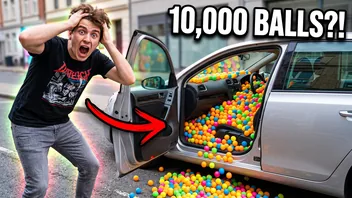
 14:02
My brother's car vs. 10,000 ping pong balls
Prank Patrol
3.4M views · 2 days ago
There's always that one creator who turns up on every page you open. Press Block channel on any of their videos and the whole channel drops out of Home, search, Up next and Subscriptions. You can also hide videos by a word, or switch the Shorts shelf off.
Sample feed: block a channel on a card, or use the panel to hide words and Shorts
The channels and videos are made up. The feed reacts the way YouTube does with the extension installed.
Showing all 8 items. Nothing is hidden yet.
14:02My brother's car vs. 10,000 ping pong balls
Prank Patrol
3.4M views · 2 days ago
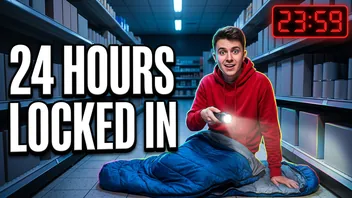 27:41
Locked inside a supermarket until sunrise
Night Shift Nate
8.2M views · 5 days ago
Shorts
Wait until the end
12M views
Soap cutting, extra satisfying
2.3M views
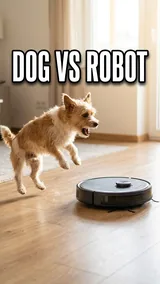
Dog vs. robot vacuum, round 2
7.7M views
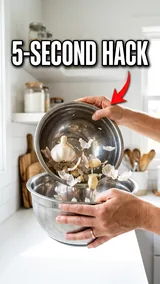
A 5-second kitchen trick
1.4M views
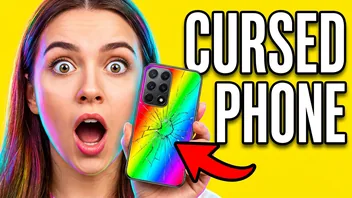 18:40
Reacting to the weirdest phone ever sold
React Lab
1.2M views · 1 day ago
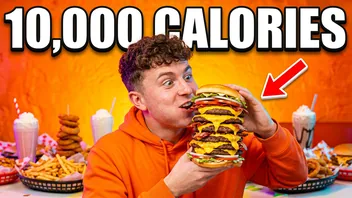 22:17
Eating a 10,000 calorie burger (ASMR)
Big Bite Bros
4.6M views · 2 weeks ago
Everything in this demo feed is hidden. Press Reset demo to bring it back.
This is a sample feed. Install the extension to do the same on YouTube itself.
Get the free extensionA regular YouTube account has no way to block a channel. The three-dot menu offers Don't recommend channel, and that only asks YouTube to show the creator less often. The extension puts a Block channel button on every video card and on channel pages. Use it once and the creator is gone from Home, search results, the Up next column and Subscriptions until you unblock them.
Blocked channels
Watching a show a season behind? Add "spoiler" and videos with it in the title or channel name stay out of sight. The same trick works for pranks, a game or a celebrity feud you're sick of hearing about. Tick Whole word only when a short word keeps catching longer ones.
Hidden words
YouTube lets you see fewer Shorts on the phone app, but there's no setting that removes them. Turn on Hide Shorts and the shelves disappear from Home, search and Subscriptions, along with the Shorts entry in the side menu. A Shorts link opens as an ordinary video if you want it to.
blockchannel.one
Download the free zip from the install page and unpack it into a folder that stays put.
On the extensions page switch on Developer mode and press Load unpacked. Count on a minute.
Point at a video on YouTube and press Block channel. The page updates while you watch.
Your channels, words and switches stay in your browser. The details:
There's no account with us and no e-mail to give. The extension doesn't touch your Google account, and a blocked creator is never told.
The list sits in the browser's extension storage. If you use browser sync, the browser copies it between your computers, and we never get a copy. No analytics inside.
It asks for storage to keep the list and for site access to hide cards on YouTube and close the sites you add. Each permission, explained.
Only for supervised kids' accounts, where a parent can block a channel. Everyone else gets Don't recommend channel, which is only a hint to the recommendation system. This extension adds a Block channel button for any account, or no account at all.
No. The videos are only hidden on your screen, and nothing goes to YouTube or to the creator.
Open the settings from the panel, find the channel in your list and press Unblock. Its videos come back as soon as YouTube loads new cards.
No. It runs in Chrome, Edge, Brave and Opera on a computer. The YouTube apps on phones, tablets and TVs don't accept extensions.
Yes. There's no paid plan and no ads, see the refund policy. It also leaves YouTube's own ads alone, since it isn't an ad blocker.
More fixes and answers are on the help page.
Last updated
Free, no account, and any block comes off with one click. Runs in Chrome, Edge, Brave and Opera on a computer.