 13:09
Finale review with SPOILERS: the ending explained
Twist Talk
410K views · 1 day ago
As a viewer you can't give YouTube a word and say "never show me this". The extension can: add a word once and every video with it in the title or the channel name stays hidden, in search and everywhere else.
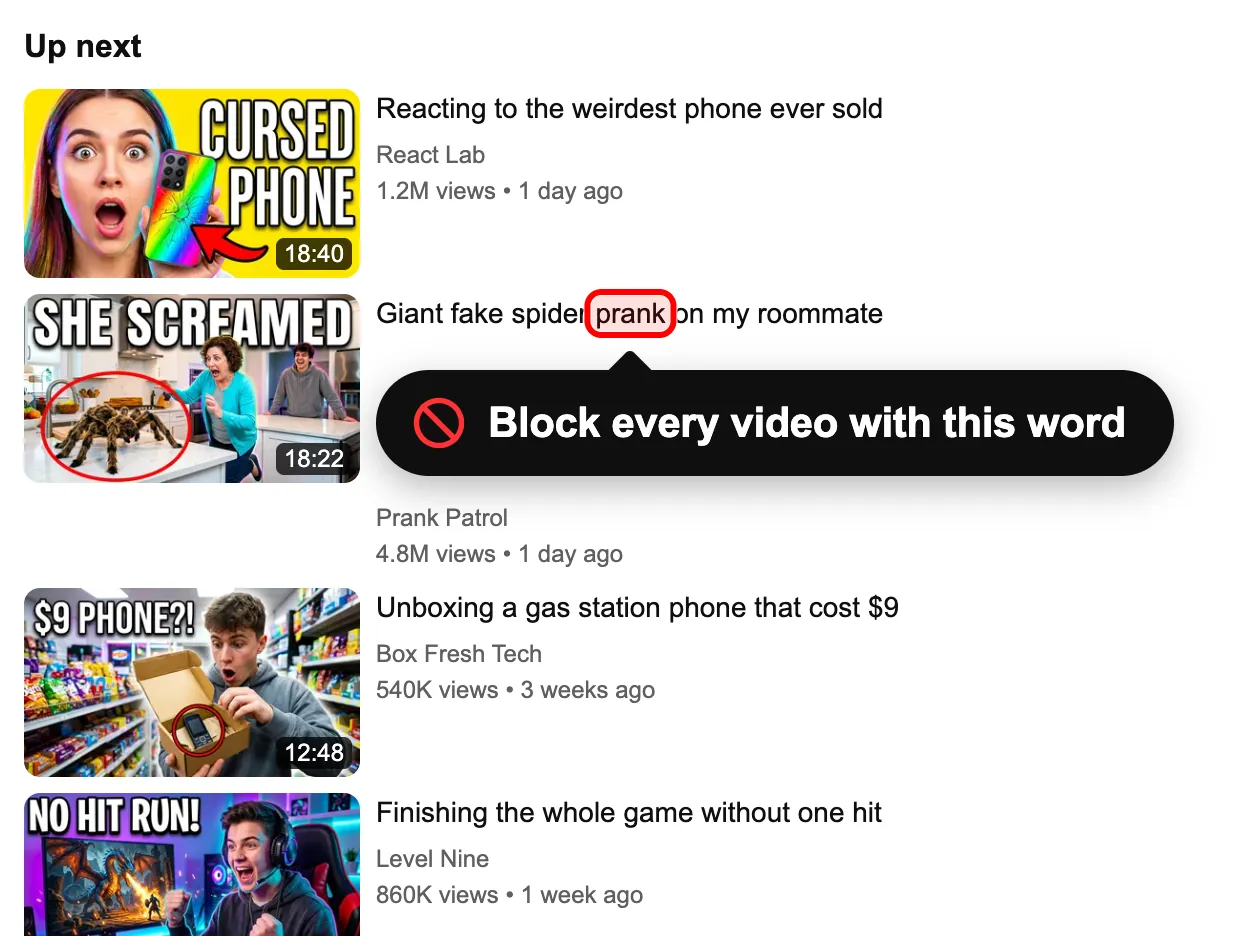
Sample feed: type a word to hide the videos that use it
The channels and videos are made up. The feed reacts the way YouTube does with the extension installed.
Showing all 3 items. Nothing is hidden yet.
13:09Finale review with SPOILERS: the ending explained
Twist Talk
410K views · 1 day ago
 19:44
Best prank fails of the year (try not to laugh)
Prank Patrol
6.2M views · 1 month ago
 31:20
Reaction: the worst film of the year
React Lab
2.4M views · 6 days ago
Everything in this demo feed is hidden. Press Reset demo to bring it back.
This is a sample feed. Install the extension to do the same on YouTube itself.
Get the free extensionA few settings sound close to a keyword filter, but each one does something else.
sourdough -vlog is supposed to drop results with "vlog". YouTube doesn't always respect it, and it only applies to that one search. Home and Up next ignore it.Supervised kids' accounts let parents set a content level and block particular channels. Words aren't on the menu there either.
Install the free extension in Chrome, Edge, Brave or Opera; the install page has the file and a short guide. Open the panel from the red icon and make sure the switch at the top says On.
Get the free extension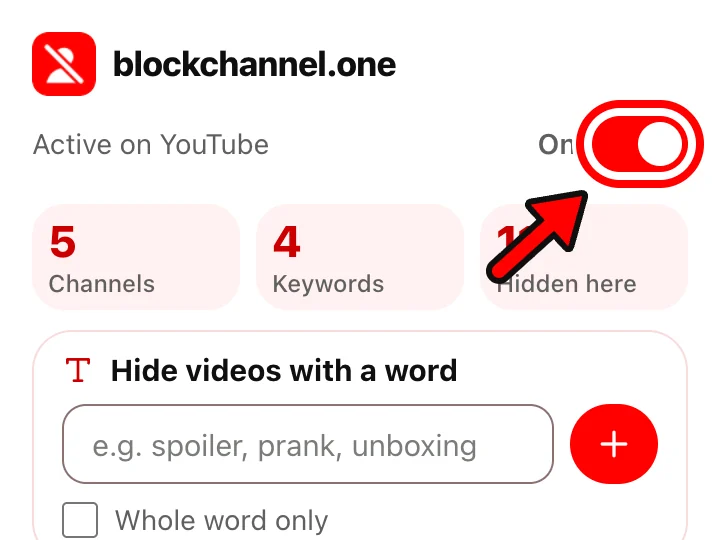
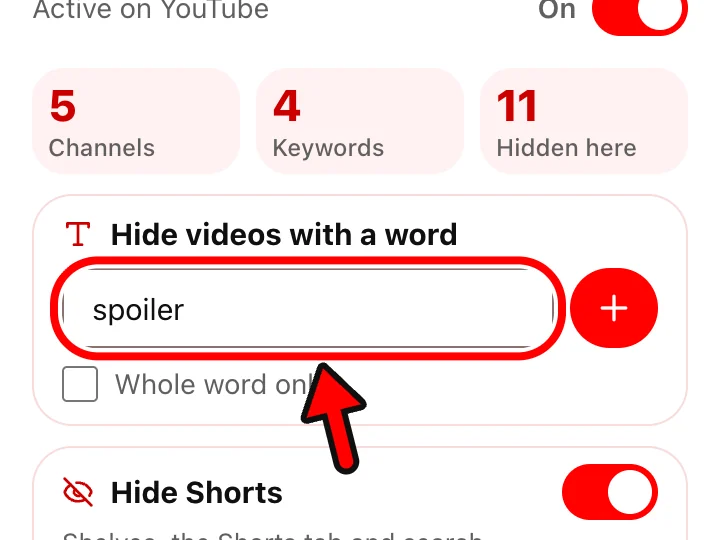
Click the red icon. Type a word or a short phrase in "Hide videos with a word" and press the plus button. Matching videos leave the open YouTube tab straight away.
Every word you've added is listed on the settings page. Short ones work better with Whole word only. You can also remove a word there, or export the whole list to a file for another computer.
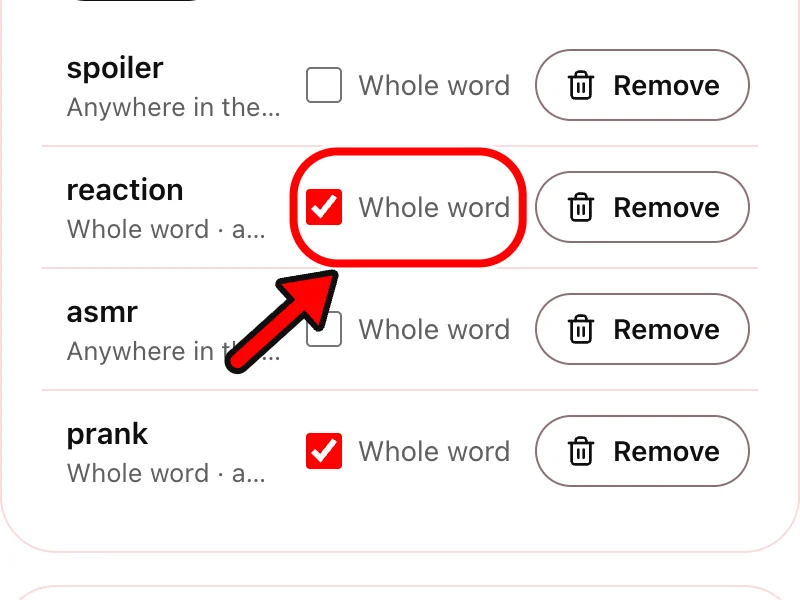
The extension compares each word with the video title and the channel name. Capital letters don't matter. By default the word can sit inside a longer one, so "fin" would also catch "finale" and "finance". Whole word only stops that: "art" then hides "Art supplies haul" and leaves "Start here" and "party ideas" alone.
Words that name what you're avoiding work best: a show, a game, a person, a format like "reaction". Phrases are fine too, such as "full match".
| On YouTube | Videos with the word |
|---|---|
| Search results | Hidden |
| Home | Hidden |
| Up next | Hidden |
| Subscriptions | Hidden |
| Shorts shelves | Matching Shorts are hidden |
| Descriptions, tags, comments | Not read. Only the title and channel name count |
| You want | YouTube | The extension |
|---|---|---|
| Hide videos with a word in the title | No | Yes |
| Check channel names too | No | Yes |
| Match only the whole word | No | Per word |
| Apply to every search by itself | Minus sign, one search, unreliable | Yes |
| Filter comments on your channel | Blocked words in Studio | No |
| Work in the YouTube app | No filter there | Computer only |
YouTube itself gives viewers no keyword filter. With the extension in a desktop browser you can add any word, and matching videos are hidden across youtube.com.
Add it to the list once. After that, every search leaves out results with that word in the title or channel name, and you don't have to type anything extra.
Yes, through the words that describe it, like the show's title or the names of the people in it. Add a few related words, and block the channels that cover nothing else.
No. The apps for iPhone, iPad and Android don't run extensions. The filter works on youtube.com in Chrome, Edge, Brave or Opera on a computer.
The word has to stand alone. Without it, "art" also hides "start" and "party". With it, only titles that use "art" by itself are hidden.
Last updated
Free, no account, and any block comes off with one click. Runs in Chrome, Edge, Brave and Opera on a computer.
This is a screenshot.
Install the extension to block content on your real YouTube.
Get the free extension